Midi Piano
Download
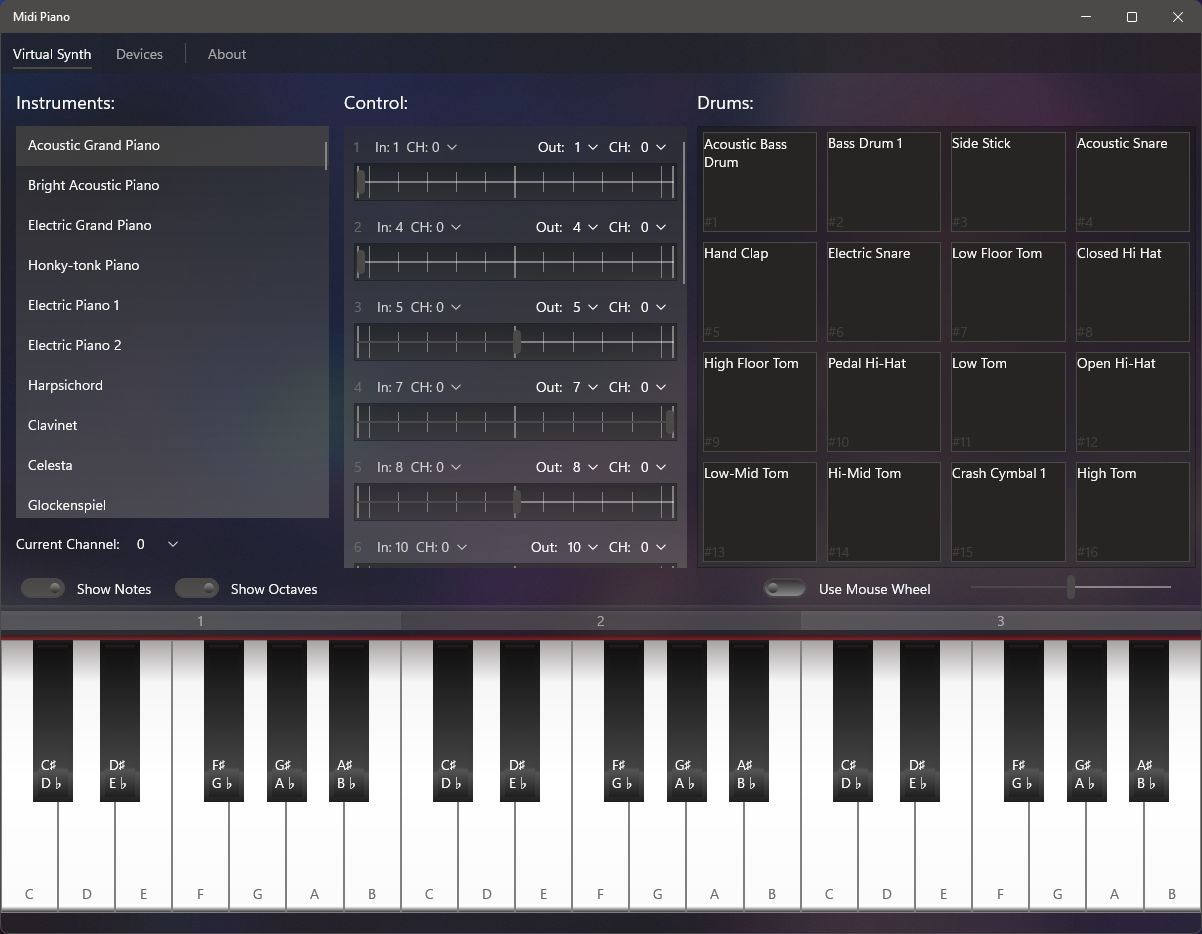
Midi Piano allows you connect and interact with MIDI devices through a friendly UI, and it can be useful for testing or simply playing your digital instruments. You can connect a MIDI keyboard as an input device or use the app itself as an instrument (via UI or PC keyboard). Then you can set either Microsoft GS Wavetable Synth (to play the sound on your PC) or an external device as the output.
The UI also offers a list of instruments based on General Midi, and a Pad Array for drums that you can manually configure. You can also see MIDI messages being received from the input device and both the keys and the pads will give visual indication when notes are being played.
Note: In order to continue with the development, this project will be supported through non-disruptive Advertising.
Main features
- MIDI in/out connectivity.
- MIDI messages can be monitored.
- Friendly and interactive UI.
- PC Keyboard can be used to play.
Requirements
- Windows 10 version 1809 or later.
Problems and Troubleshooting
Devices not showing up
It's been noted that starting on February of 2026, the app has suddenly stopped detecting devices for some users. The problem originates from a Windows Update released in that same month, where breaking changes were introduced that affect the Windows MIDI stack. As you can already imagine, this is affecting users and devs all across the Windows ecosystem, and it is up to Microsoft to fully resolve it. If you have a PC running a version of Windows 10/11 prior to the update, you will be able to confirm that the issue is not present there.
Workaround
If you are sure that Windows is detecting your device, but it's still not showing up in the app, try the following: Open Services (you can access it via the Run dialog by pressing Win + R and typing "services.msc"), look for Windows MIDI Services (midisrv), right click and Start. It is also recommended to go to its Properties and configure the start to Automatic, otherwise you will have to repeat these steps after restarting your computer. Have in mind that this workaround is not a complete solution and other issues may persist.